Mastering
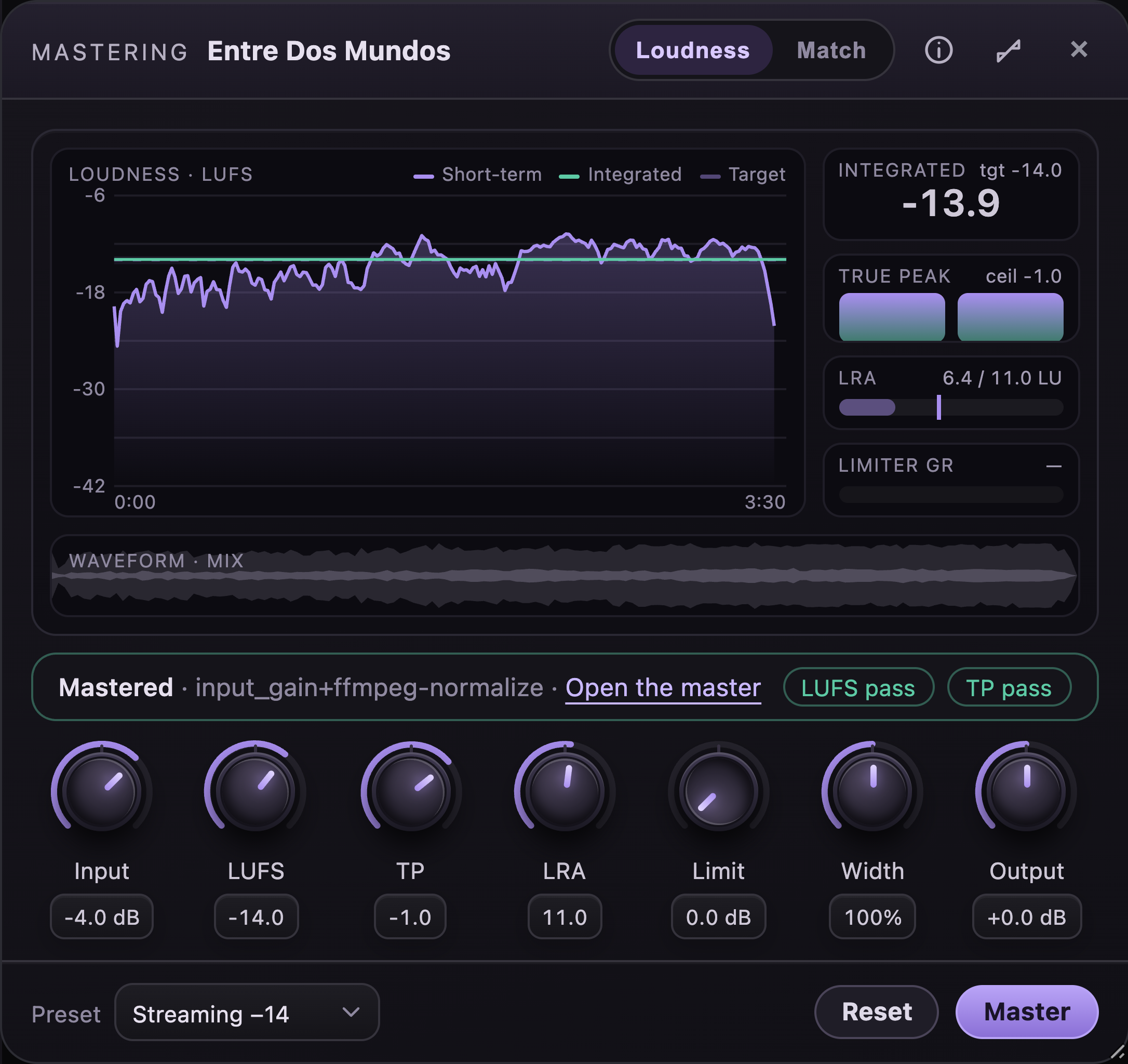
The mastering device takes the song that is playing and lands its mix on a loudness target, or matches it to a reference mix, then hands back a new WAV beside the song's files. Its meters measure the mix the moment it opens and the master once there is one.
Opening the device
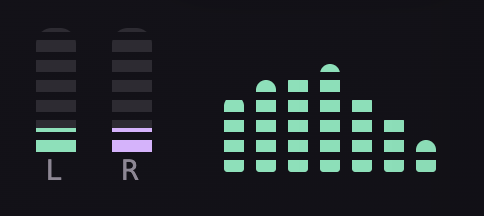
The stereo meter in the player is a button. Click it and the device opens in the dock under the player, beside the lyrics and the equalizer; click it again and the device closes. The meter lights up while the device shows.
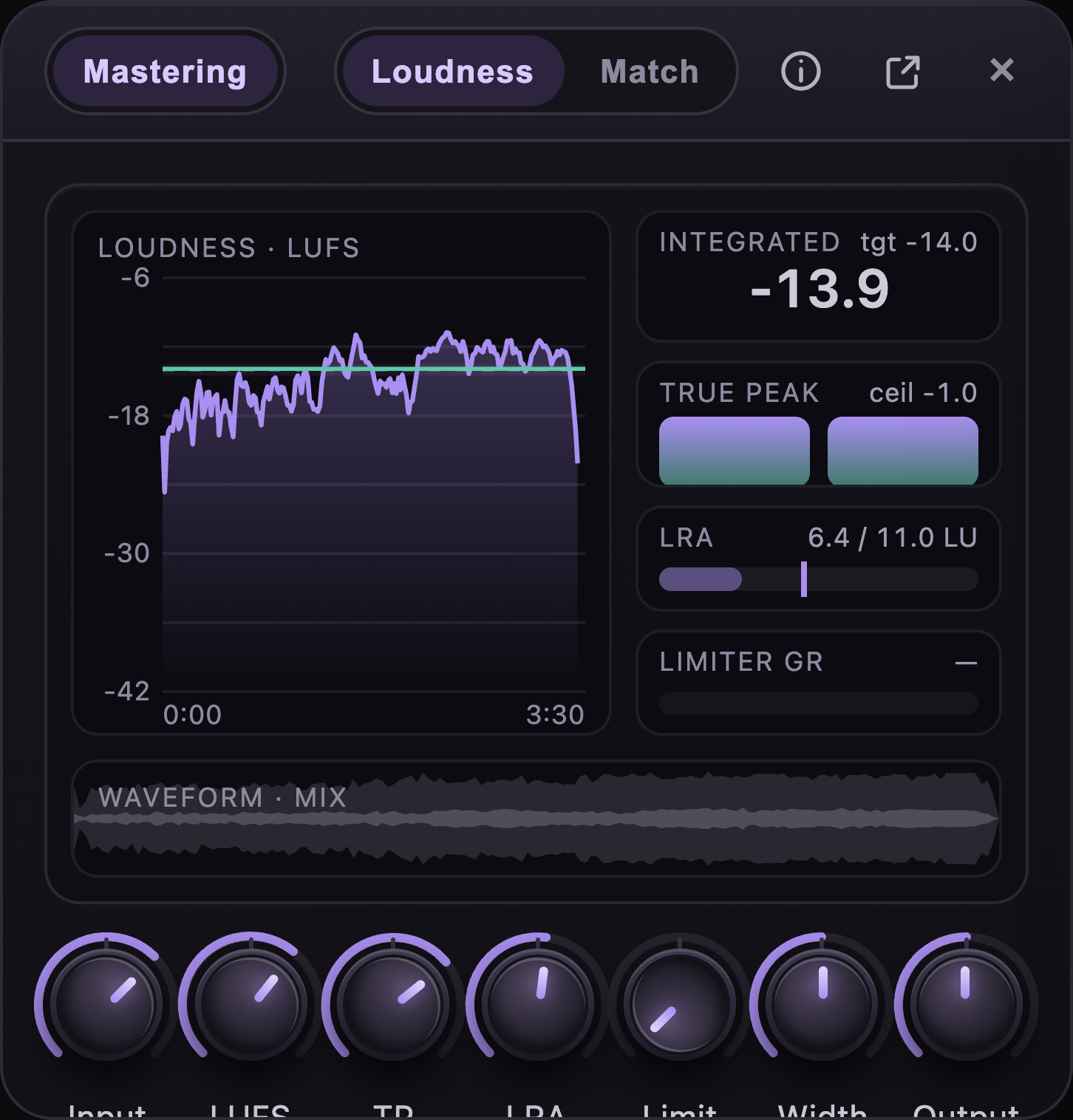
The bar of the device holds, from the end: close, detach (out of the dock into a window you can drag), this info button, and the Loudness | Match switch. Detached, the bar also names the song.

Two modes
Loudness
The default. The mix is landed on the loudness target you set: the integrated loudness, the true-peak ceiling and the loudness range on the knobs. The streaming services turn every song to about the same level on playback; landing it there yourself means it plays back as you heard it, with nothing turned down or pushed up on the way.
Match
The mix is first matched to a reference mix, a finished song whose tone and balance you want, then landed on the same loudness target. Choose the reference with the row that appears above the knobs; any audio file up to 60 MB will do. Without a reference, Master answers Blocked · Match needs a reference mix in the status line and nothing runs.

The knobs

Drag a knob up or down to turn it (the whole range is about 120 pixels of travel), roll the wheel over it for one step, or focus it and use the arrow keys; Home and End go to the ends. A double click puts a knob back on its default. The readout under each knob shows its value.
| Knob | Range | Default | What it does |
|---|---|---|---|
| Input | −12 to 0 dB | −4 dB | Gain before everything else. A mix that already sits near full scale gets a little headroom here so the stages after it have room to work. |
| LUFS | −23 to −9 | −14 | The integrated loudness target, in LUFS. Streaming services play back around −14; broadcast standards ask for −23; a podcast or an advert sits around −16. |
| TP | −3 to −0.1 | −1 | The true-peak ceiling in dBTP: the landing stage keeps the master's true peak (oversampled, so a lossy encode does not clip) at or under it. −1 is the usual ask for streaming. The measurement afterwards is the last word: the TP flag passes within 0.15 dB of the ceiling. |
| LRA | 1 to 20 | 11 | The loudness range target, in LU: how much the loudness may vary across the song. The normaliser is asked for it; a song that swings more than that is worked dynamically, which tightens it. |
| Limit | 0 to 12 dB | 0 dB | Drive into a soft limiter that sits at the ceiling. At zero it is out of the way; turned up it pushes the song into the ceiling for density, and the Limiter GR meter shows how hard it bit. |
| Width | 0 to 200% | 100% | The stereo width, mid/side: under 100 narrows toward mono, over 100 widens the sides, 100 leaves the mix as it is. Widening that pushes past full scale is scaled back down to 0 dBFS as a whole. |
| Output | −12 to +12 dB | 0 dB | A trim after the landing. Turning it up over the ceiling is caught: the master is pulled back to the ceiling by its sample peak rather than clipped, which is why a large positive trim can still leave the true peak a touch over, and the TP flag says so. |
The knobs are remembered between sessions in this browser, mode included. Reset in the footer puts them all back on their defaults.
The presets

A preset sets all seven knobs at once: the four targets below, with Limit at 0 dB, Width at 100% and Output at 0 dB. The list reads Custom as soon as any knob leaves the preset's values.
| Preset | Input | LUFS | TP | LRA | For |
|---|---|---|---|---|---|
| Streaming −14 | −4 dB | −14 | −1 | 11 | Spotify, Apple Music, Tidal, Amazon. |
| YouTube −14 | −4 dB | −14 | −1 | 11 | YouTube, which normalises to the same level. |
| Podcast / ads −16 | −3 dB | −16 | −1.5 | 9 | Spoken word and adverts, a little quieter and tighter. |
| Broadcast −23 | −2 dB | −23 | −1 | 18 | EBU R128 broadcast delivery, with a wide range allowed. |
Reading the meters
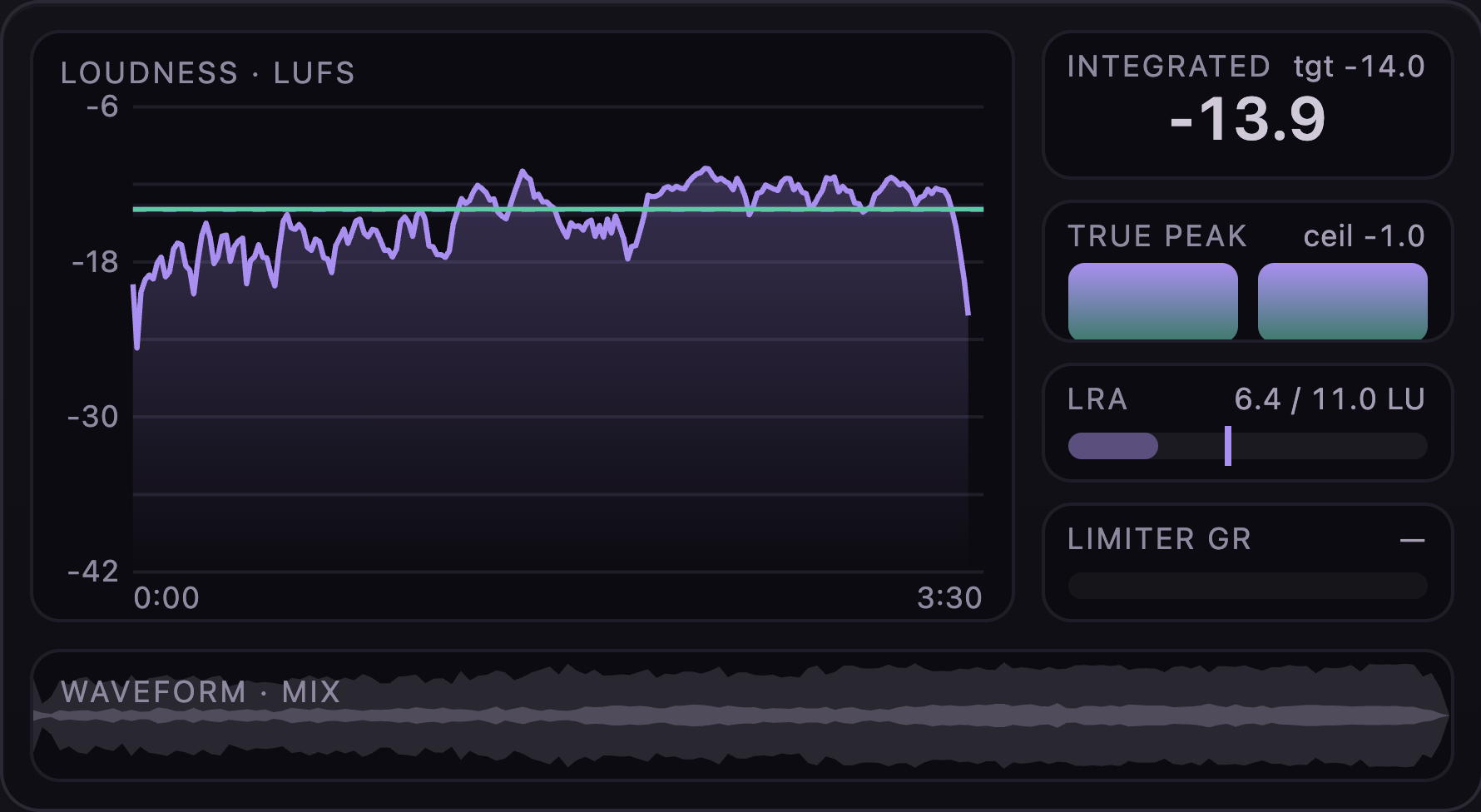
The meters draw measurements, not a live feed. When the device opens on a song the server measures its mix once (a few seconds) and the meters show it; after a run they show the master, with the mix kept underneath in grey.
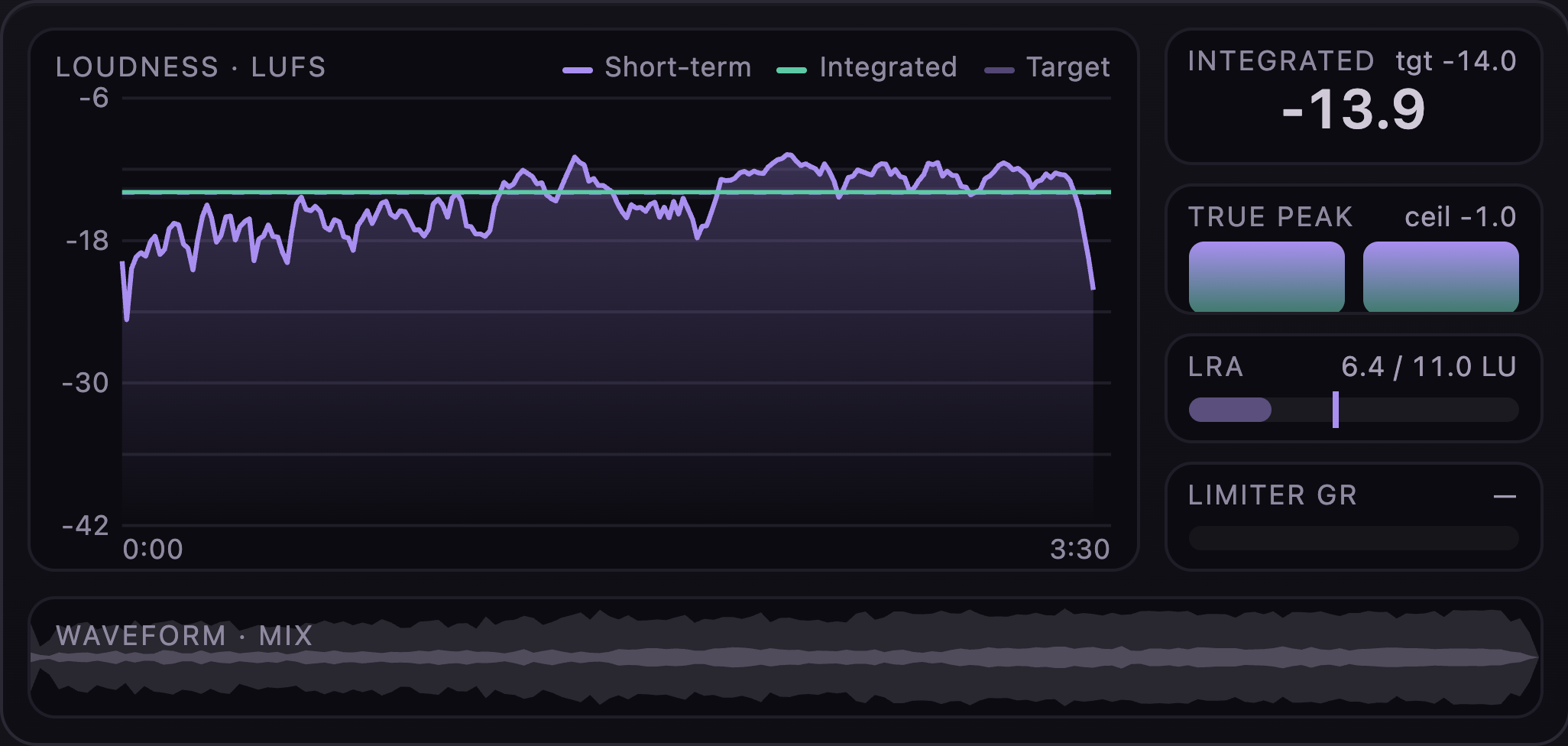
Loudness over time
- Short-term: the loudness of each three-second window, a second apart, across the whole song (EBU R128 short-term, K-weighted). Where it dips to nothing the line breaks: silence.
- Integrated: the one number for the whole song, the line the services read. The target band around the dashed target line is one LU wide; a master lands inside it.
- After a run, the mix's short-term line stays in grey under the master's, so you can see what the landing moved.
The scale runs from −6 at the top to −42 at the bottom; the time axis runs the length of the song.
The side meters
- Integrated: the song's integrated loudness, large, with the target beside it. After a run it turns green when the master lands within half a LU of the target and red when it does not.
- True peak: one bar per channel, with the ceiling drawn across them as a red line at the TP knob's value. The bars run from −18 dBTP up to full scale; after a run each reading turns green when it sits at or under the ceiling, with the same 0.15 dB allowance as the flag.
- LRA: the loudness range measured, against the target on the knob, as a bar with the target marked on it.
- Limiter GR: how far the soft limiter pulled the loudest moment down, in dB. It reads 0.0 dB after a run with Limit at zero, and a dash until there has been a run.
The waveform
The strip at the bottom is the song's envelope: the faint outline is the peak level along the song and the solid body inside it is the RMS, the level you hear. After a run the master is drawn in purple over the mix in grey, so a master that was pushed harder shows a fuller body.
Running a master
Master in the footer sends the song that is playing and the knobs to the server. Without a song playing the button waits and its tooltip says so; while a run is on it reads Mastering…. A song takes seconds to a minute, depending on its length and the mode.
The server works in this order: input gain, width, the soft limiter, then in Match mode the reference match, then the loudness landing to the LUFS, TP and LRA targets (ffmpeg's EBU R128 normaliser, two-pass), then the output trim, then a measurement of the result. The result is a 24-bit WAV at 44.1 kHz with the mix's channels, saved beside the song's other files and recorded on the song, with the measurement.

The status line names the stages that ran and offers Open the master, which opens the WAV in a new tab. The two flags say whether the master landed: LUFS pass within half a LU of the target, TP pass at or under the ceiling (a 0.15 dB allowance).
A run that cannot go ahead says Blocked with the reason in words: a missing tool on the server, a file it could not decode, a reference the matcher could not use, a stage that timed out (ten minutes). Nothing is saved on a blocked run, and the song keeps its previous master if it had one.
Where the master goes
Each run writes a new WAV and records it on the song as its master, replacing the record of the previous run (the earlier file stays where it was saved). Nothing else in the app plays the master yet: the player keeps playing the original mix, and the link in the status line is the way to the file.